
25 Aug 2026

.png)
Many small-business websites begin with a design reference.
The founder finds a website they like and asks a developer to create something similar. Attention goes towards colours, animations, photographs, fonts, and visual sections.
Design matters, but it is not the first website decision.
Before choosing a layout, the business should answer:
A website should not exist only to prove that the business is online.
It should help potential customers find the company, understand the offer, evaluate its credibility, and take a clear next step.
Understanding what a small business website should include prevents two common problems.
The first is an attractive website with very little useful information.
The second is an overcrowded website that lists everything the business does but gives customers no clear path towards a decision.
A strong small-business website creates a structured customer journey—from first impression to confident action.
A website can support several business objectives.
It may help the business:
Not every website needs to perform every function.
A local restaurant website and an industrial manufacturer’s website have different priorities.
A restaurant customer may need menus, photographs, location, timings, reviews, and reservation information.
A manufacturing buyer may need technical specifications, industry applications, quality information, production capability, and a request-for-quotation process.
Website planning should therefore begin with customer behaviour and business goals.
.png)
Before deciding which pages to create, establish seven website foundations.
The website should quickly communicate:
Avoid beginning with a vague headline such as:
Building excellence through innovative solutions.
A customer should not need to scroll through several sections to understand the business.
A clearer headline might be:
Custom furniture design and installation for compact homes and owner-led commercial spaces.
The message can be refined further based on the actual positioning and customer.
Decide what should happen after someone visits the website.
A typical journey may be:
The website should guide this journey.
Every page does not need the same CTA, but each important page should have a clear purpose.
Customers want to confirm that the business is genuine.
Provide accurate information such as:
Only publish claims that can be verified.
Use:
[VERIFY BEFORE PUBLISHING]
where business, legal, medical, financial, or certification details require confirmation.
The website should not speak only about the company.
It should address:
Replace company-centred language such as:
We are passionate about delivering excellence.
With customer-relevant information such as:
Every project begins with a written scope, timeline, approval process, and one accountable point of contact.
Trust signals should support the offer.
These may include:
Do not invent numbers, customer names, awards, or performance claims.
Where proof should be added, use:
[ADD VERIFIED EXAMPLE]
Customers should know what to do next.
Possible actions include:
Avoid using only “Learn More” on every button.
Use CTAs that explain the next step.
The website is not complete when the form is submitted.
The business needs a process for:
A website can generate interest, but internal execution converts it into business.
The exact structure depends on the business, but most small-business websites should consider the following pages.
The home page should give customers a clear overview.
It should answer:
The home page should guide customers towards detailed service, product, location, or contact pages.
The About page should build credibility, not simply tell a long founder story.
It may include:
Connect the company story to the customer.
Explain how the experience influences the way the business serves people.
Do not place every offer in one short paragraph.
Important services or product categories should have dedicated pages where appropriate.
A good service page may include:
Dedicated pages also make it easier to target specific search intent.
Explain the reasons customers may select the business.
Focus on:
Avoid generic statements that competitors can easily copy.
Show what the business can do.
Depending on the industry, this may include:
Use verified information and customer approval.
A case study may explain:
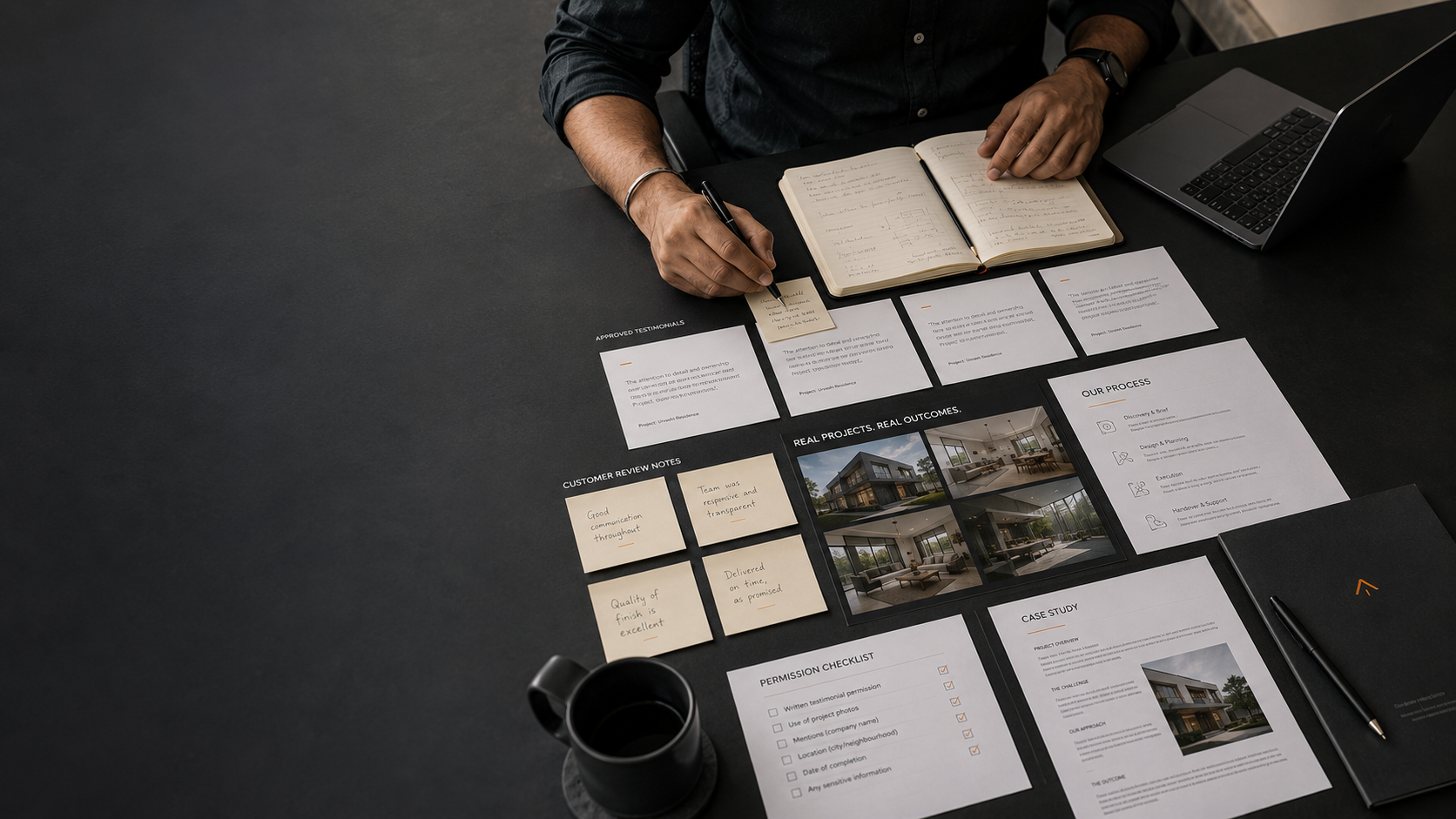
Place genuine customer feedback near relevant services and products.
A separate review page may also be useful, but do not hide all proof there.
Testimonials should be accurate and approved.
Avoid rewriting customer feedback in a way that changes its meaning.
FAQs help customers resolve concerns before contacting the business.
Useful FAQ topics include:
FAQs can also reduce repetitive enquiries.
The contact page should include relevant options such as:
Do not make the customer search through the footer for essential contact information.
The website may require:
Requirements depend on the business, location, data collected, and applicable laws.
Have relevant legal and compliance content reviewed by a qualified professional.
[VERIFY BEFORE PUBLISHING]
A blog is useful when the business can answer customer questions, build search visibility, demonstrate expertise, and support the sales process.
Do not start a blog only to publish generic content.
Each article should serve a real customer question or business objective.
The home page is often the first major customer touchpoint.
A practical structure may include the following sections.
The hero should communicate:
Example:
We help owner-led businesses improve positioning, visibility, lead follow-up, and operating systems.
CTA:
Request a Founder Growth Audit
Avoid placing several competing messages in the first section.
Show that the business understands the customer’s current situation.
Examples include:
Keep the section specific and practical.
Introduce the main offers.
Each item should have:
Avoid listing every small capability as a separate service.
Explain what the work supports.
Possible outcomes include:
Avoid guaranteeing results the business cannot control.
Present three to five credible reasons.
Support them with clear processes or proof.
Show the customer what will happen.
For example:
A visible process reduces uncertainty.
Use relevant:
Proof should be genuine and understandable.
Answer the most important questions that may stop a suitable customer from taking action.
End with a clear and relevant next step.
Do not assume the customer will return to the top of the page.
Many customers will visit through a phone.
Check:
A website that works only on a large screen creates friction.
Large images, unnecessary scripts, excessive animations, and poorly configured tools can make a website difficult to use.
Prioritise usability over effects.
The website should use an appropriate secure connection and trusted technical setup.
Security requirements vary based on whether the website collects customer information, accepts payments, or provides user accounts.
Each important page should have:
Search optimisation should improve clarity, not create keyword-stuffed copy.
Test every:
A broken CTA can quietly waste genuine customer demand.
The business should understand:
Use data responsibly and follow applicable privacy and consent requirements.
A clinic website may require:
Avoid guaranteed medical outcomes or unverified treatment claims.
[VERIFY BEFORE PUBLISHING]
A restaurant website may prioritise:
The information should remain current.
A manufacturing website may include:
The website should help technical and procurement buyers evaluate suitability.
A consultant’s website may include:
The site should sell expertise through clarity, not exaggerated personal branding.
The website may require:
The layout should express the positioning, customer journey, and offer.
It cannot define them on its own.
A competitor may serve different customers or follow a different commercial model.
Use references for usability, not for copying strategy or content.
Customers need to see their problems, questions, and desired outcomes reflected in the content.
Stock images may support the design, but customers also need to see the real business, team, product, location, or process.
Do not make customers contact the business only to discover basic information that could have helped them qualify themselves.
Choose a primary next step and use secondary actions only where necessary.
Generating enquiries without lead tracking creates invisible loss.
A website needs ongoing updates, technical maintenance, content review, and enquiry testing.
Day 1: Define the website’s main customer and business objective.
Day 2: Map the customer journey from search to enquiry.
Day 3: Finalise the main positioning and offer message.
Day 4: List the required pages and content.
Day 5: Collect verified proof, business information, and real photographs.
Day 6: Define contact methods, enquiry ownership, and follow-up.
Day 7: Create a page-by-page website brief before beginning design.
Do not begin by asking:
Which website style looks modern?
First ask:
What must customers understand, trust, and do on this website?
There is no fixed number.
The website should have enough pages to explain important products or services, establish trust, answer questions, and support customer action.
A focused five-page website can be stronger than a confusing 30-page website.
Not every business needs a complex website immediately.
However, a website becomes valuable when customers search online, require detailed information, compare providers, evaluate credibility, or need a structured way to enquire or purchase.
Standardised products and packages may benefit from clear pricing.
For customised services, the website can explain starting prices, pricing factors, or the quotation process where appropriate.
Include a blog when the business can consistently answer relevant customer questions and use the content to support discovery, trust, and sales.
Avoid publishing generic articles only to make the website appear active.
The choice depends on customer behaviour.
Many businesses benefit from offering both a structured form and a convenient direct channel. Every enquiry should still be recorded and followed up.
Update business information whenever it changes.
Review links, forms, services, proof, photographs, policies, FAQs, and technical performance through a regular maintenance process.
Understanding what a small business website should include begins with the customer journey.
A useful website helps customers:
Your website does not need unnecessary complexity.
It needs clear positioning, customer-focused content, relevant pages, genuine proof, simple navigation, reliable contact methods, and a business process behind every enquiry.
Design should make the information easier to understand.
Technology should make the customer journey easier to complete.
The website should not merely make the business look modern. It should make the business easier to trust and choose.
.png)
.png)